 BDownloader
Downloads, done properly.
BDownloader is a free, lightweight download manager for Windows and Mac. It downloads every file over several connections at once, pauses and resumes anything, and catches downloads and videos straight from your browser.

brew install --cask ahmedanjum30/tap/b-downloaderNot using Homebrew? Download the app (.zip) and drag it to Applications.
Everything a download manager should do
Fast where it counts, quiet everywhere else.
Many connections at once
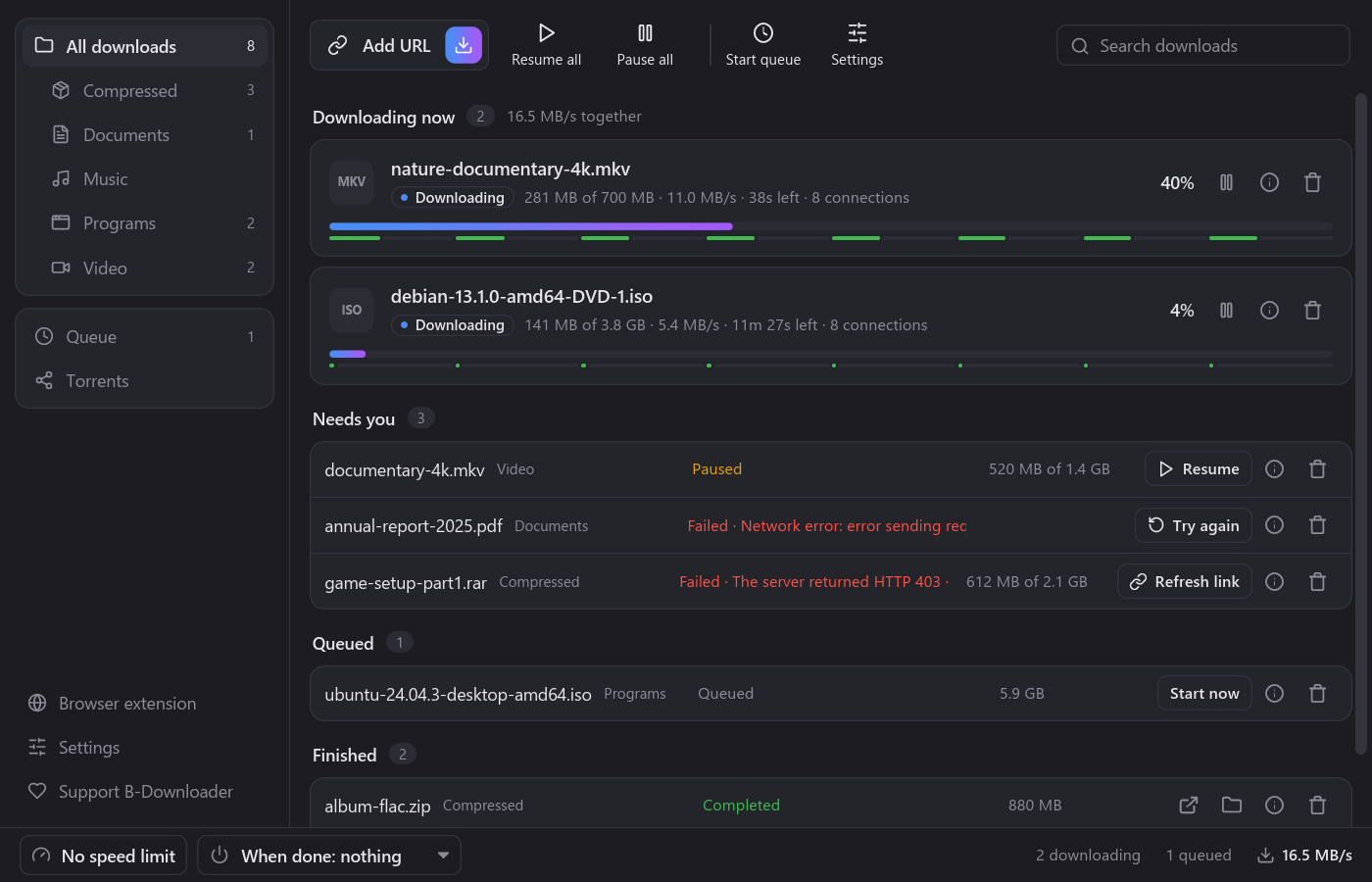
Each file is split into parts that download side by side. BDownloader adds connections while the server keeps up, and a finished connection takes over half of the biggest remaining part.
Pause and resume anything
Stop a download and continue later, even after closing the app or restarting your computer. Link expired? Give it a fresh one and it continues where it stopped.
Works with your browser
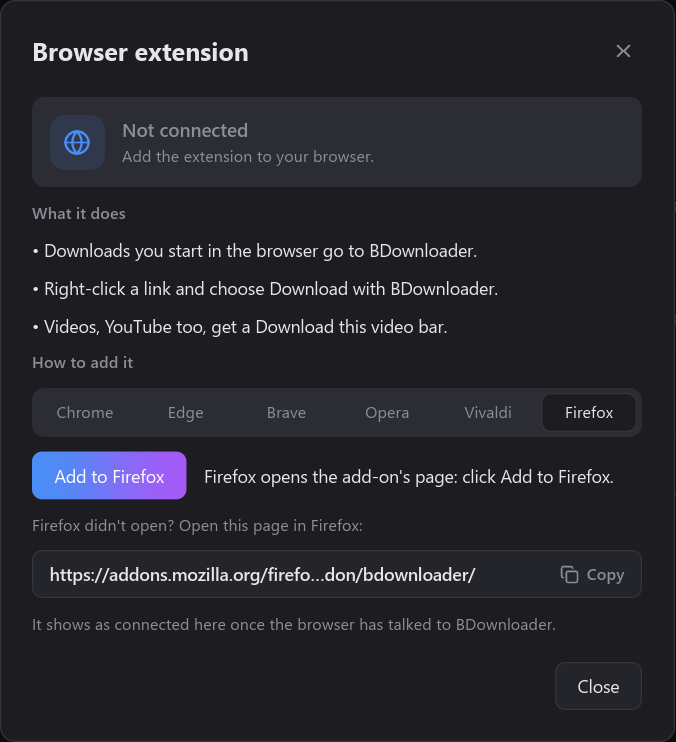
Downloads you start in Edge, Chrome, Firefox, Brave, Opera or Vivaldi go to BDownloader, even ones that need you to be signed in, private windows included.
Download videos
A "Download this video" bar appears on videos: video files, HLS streams, and YouTube in any quality up to 4K, saved as one MP4. No extra tools needed.
Speed limits
Cap all downloads together from the top bar, or just one download from its details, so a big download doesn't slow down everything else. Both apply instantly.
Queue and schedule
Choose Download later to queue a download, then start the queue yourself or every night at a set time, a few downloads at a time.
Sorted by type
Downloads land in Compressed, Documents, Music, Programs and Video folders, and the sidebar lists each kind, like IDM.
Sleep or shut down when done
Leave a big download running and let the computer sleep or turn off once it's finished, after a countdown you can cancel.
Small and light
A native app written in Rust: no bundled browser engine, little memory while idle, and it keeps itself up to date while staying out of your way in the tray or menu bar.
One extension, every browser
Add the extension once and downloads go to BDownloader by themselves. Right-click any link for "Download with BDownloader". If a site won't give BDownloader the file, your browser downloads it instead, so nothing is ever lost.
- Edgefrom the Edge Add-ons store
- Firefoxfrom Firefox Add-ons
- Chrome, Brave, Opera, Vivaldia few guided steps inside BDownloader
Questions
Didn't find yours? Ask in Discussions.
Is BDownloader free?
Yes, for personal and other non-commercial use, with every feature included. There are no ads and no paid version. If you'd like to support it, there's Patreon.
Is there a Mac version?
Yes, for Macs with Apple Silicon (M1 or later) on macOS 11 or later. Install it with Homebrew: brew install --cask ahmedanjum30/tap/b-downloader, and brew upgrade keeps it up to date. Or download B-Downloader-<version>-macos.zip from the latest release, unzip it and drag the app to Applications; the first time, right-click it and choose Open, since it isn't signed with an Apple Developer ID yet. Magnet links and .torrent files open in it from the browser and Finder. The browser extension works with Chrome, Edge, Firefox, Brave, Opera and Vivaldi on the Mac, and in Safari it comes inside the app: open Browser extension in B-Downloader and pick the Safari tab for the steps. Safari takes it once Allow unsigned extensions is on in its Developer settings (until B-Downloader is signed by Apple), and there downloads come through the right-click menu and the video bar rather than by themselves. Intel Macs aren't supported yet.
Windows says "Windows protected your PC". Is it safe?
BDownloader isn't code-signed yet, so Windows doesn't know the publisher and warns about it. Click More info, then Run anyway. The installer is built from the public source code by GitHub's release workflow, and you can check it against the SHA256SUMS.txt file on each release. Updates installed by BDownloader itself don't show the warning. To avoid it altogether, install BDownloader from the Microsoft Store.
Which browsers does it work with?
Edge, Chrome, Firefox, Brave, Opera and Vivaldi. Open Browser extension in BDownloader for the steps. Edge and Firefox install it from their stores: Edge Add-ons and Firefox Add-ons.
Can it download YouTube videos?
Yes. Play the video for a few seconds and a "Download this video" bar appears on it, listing every quality up to 4K and sound only. Picture and sound are joined into one MP4 that any player opens. Live streams aren't supported.
Do I need admin rights to install it?
No. On Windows it installs for your user only, in your own AppData folder, and can be removed from Installed apps like any program. On a Mac, Homebrew puts it in Applications and brew uninstall --cask b-downloader removes it.
Can I use it at work?
BDownloader's license (PolyForm Noncommercial) allows personal use and use by charities, schools and public institutions, but not commercial use. For commercial use, get in touch on GitHub.
Does it send my data anywhere?
No. It connects only to the servers of the files you download, and to GitHub to check for updates. The browser extension talks only to the app on your own computer. See the privacy policy.
Can I install it from the command line?
On Windows, download the installer and run it with /VERYSILENT for a silent install. On a Mac, brew install --cask ahmedanjum30/tap/b-downloader.
Ready when you are
Download BDownloader and add the extension to your browser. It takes a minute.